

Terminating elegantly: a guide to graceful shutdowns
Let's dive into the world of graceful shutdowns, specifically for Go applications running on Kubernetes.

Did you ever unplug your computer because you were frustrated? In the world of software, a similar concept exists: the hard shutdown.
This abrupt termination can cause problems like data loss or system instability.
Thankfully, there's a better way: the graceful shutdown.
In a nutshell, a graceful shutdown is a polite way of stopping a program, giving it time to finish things up neatly.
A good graceful shutdown has the following characteristics:
complete ongoing requests (tasks)
release critical resources
potentially save state information to a disk or a database (so you can resume later)
stop accepting connections
So let's dive into the world of graceful shutdowns, specifically for Go applications running on Kubernetes. We will be focusing on HTTP servers, but the main ideas apply to all types of applications, also not necessarily running on Kubernetes.
Signals in Unix Systems
One of the key tools for achieving graceful shutdown in Unix-based systems is the concept of signals, which are software interrupts sent to a program to indicate that an important event has occurred.
These signals can be sent from the user (Ctrl+C / Ctrl+\), from another program or process, or from the system itself (kernel / OS), for example a SIGSEGV aka "segmentation fault" is sent by the OS.

There are many signals, and you can find them here, but our concern is only shutdown signals:
SIGTERM - sent to a process to request its termination. Most commonly used, and we’ll be focusing on it later.
SIGKILL - “quit immediately”, can not be interfered with.
SIGINT - interrupt signal (such as Ctrl+C)
SIGQUIT - quit signal (such as Ctrl+D)
Default behaviour in Go
So what happens when we start a long-running Go program in the terminal and then press Ctrl+C? By default, a SIGHUP, SIGINT, or SIGTERM signal causes the program to exit. Unless you catch the signal.
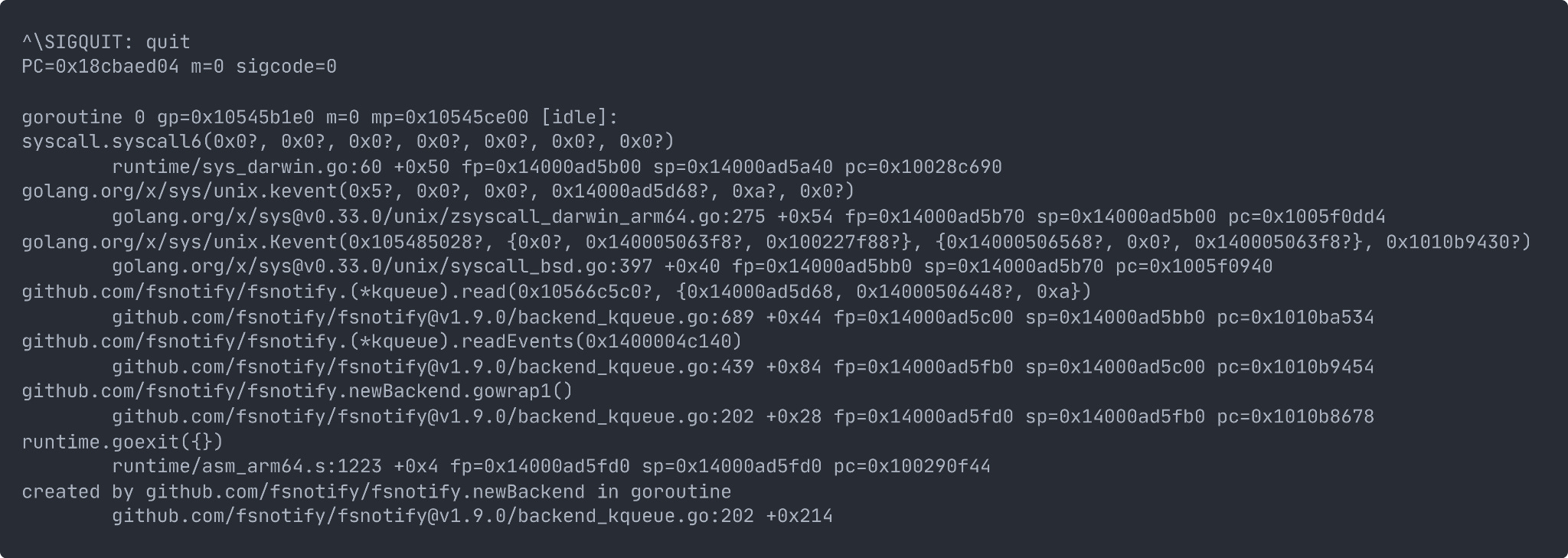
Also, when the Go runtime receives SIGQUIT (Ctrl + \), it prints a stack trace to the terminal before exiting the process. This can be helpful for debugging a hanging unresponsive program.
Can be controlled with GOTRACEBACK env var.
Kubernetes Pod Shutdown Process
So, why did we talk about Signals? That's because Kubernetes also uses them for shutting down the pods.
Before coming to the Go application part, let's quickly review what happens behind the scenes when a Kubernetes pod shuts down?
When a pod is terminated, it involves a well-defined lifecycle.
Kubernetes also gives the pods time to finish serving in-progress requests and shut down cleanly before removing them.
Here is the diagram:

Pod is set to the “Terminating” State and removed from the endpoints list of all Services. At this point, the pod stops getting new traffic. Containers running in the pod will not be affected.
preStop Hook is executed if defined. The preStop Hook is a special command or http request that is sent to the containers in the pod. Useful if you are using third-party code or are managing a system you don’t have control over, great way to trigger a graceful shutdown without modifying the application.
SIGTERM signal is sent to process 1 inside each container. Your code should listen for this event and start shutting down cleanly at this point. This may include stopping any long-lived connections (like a database connection or WebSocket stream), saving the current state, or anything like that. Even if you are using the preStop hook, it is important that you test what happens to your application if you send it a SIGTERM signal, so you are not surprised in production!
At this point, Kubernetes waits for a specified time called the termination grace period. By default, this is 30 seconds. It’s important to note that preStop hook must complete its execution before the TERM signal can be sent.
When the grace period expires, if there is still any container running in the Pod, the kubelet triggers forcible shutdown. The container runtime sends SIGKILL to any processes still running in any container in the Pod. At this point, all Kubernetes objects are cleaned up as well.
Here is how your container lifecycle may look like with a preStop hook. Note that you can actually specify another signal instead of SIGTERM.
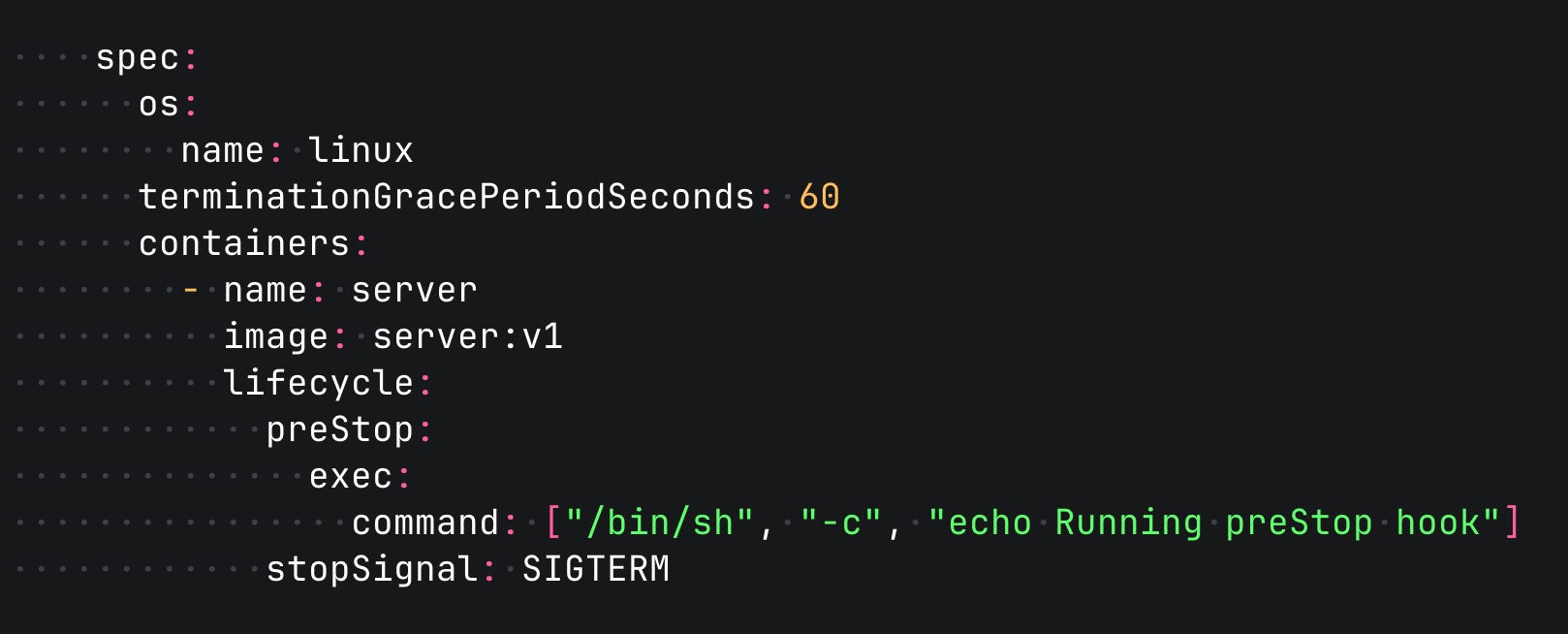
It is a good practice to reserve a bit more time as a safety margin. You can do that by setting the terminationGracePeriodSeconds option.
Go Application
Now, with all that knowledge, knowing the basics of signals and Kubernetes Pod lifecycle, let's design the ultimate (probably) shutdown flow in Go HTTP service.
